01Why professional branding matters
Imagine two invoices. The first: black text on white, no logo, generic sender. The second: your logo in the top left, your brand colour on headings and totals, your letterhead as the background. Which one looks more professional?
Professional branding on your documents builds trust, increases recognition, and signals to your client: this is someone who takes their business seriously. This applies not just to invoices, but also to quotes and payment reminders.
02How to set up your branding
Setting up the complete PDF branding in einzly takes less than 5 minutes. Three steps — done.
Upload your logo & choose an accent colour
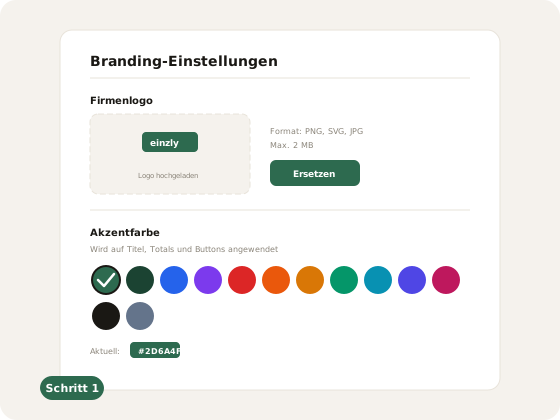
In the settings under 'Branding', upload your company logo (PNG, SVG, or JPG, max 2 MB). Below that, choose from 13 accent colours the one that matches your business. This colour is automatically applied to all documents — on headings, totals, and buttons.
Upload your letterhead PDF
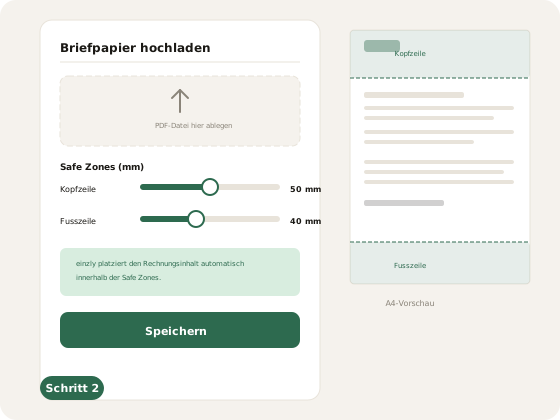
Optionally, you can upload a letterhead as a PDF. This is the blank template with your company header and footer — einzly places the invoice content on top. Use the safe zone sliders to define how much space is reserved at the top (header) and bottom (footer) for your letterhead. einzly automatically positions the content in between.
Check the preview
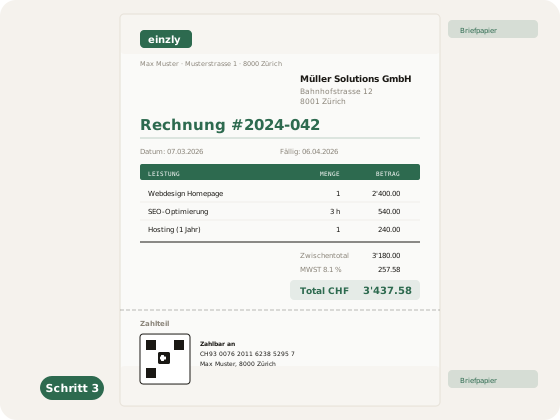
In the invoice preview, you can immediately see the result: your logo in the top left, your accent colour on the invoice title and totals, your letterhead as the background. Check if everything looks right — you can make changes in the settings at any time.
03What einzly applies automatically
Once you've set up your branding, einzly applies it consistently across all documents — without any manual intervention on each invoice.
- Logo on all documents — Invoices, quotes, reminders, and credit notes display your logo in the top left.
- Accent colour on headings & totals — The invoice title, table headers, and total amount appear in your chosen colour.
- Letterhead overlay on all pages — If uploaded, your letterhead is placed as a background on every page. Exception: the QR payment page stays without letterhead, so the QR code can be reliably scanned.
- White-label email sending — When you send an invoice by email, your client sees your logo and company name — not einzly.
- Multilingual PDFs — Your branding stays the same whether you create the invoice in German, French, Italian, or English.
04Comparison: Without vs. with branding
| Criterion | Without branding | With einzly branding |
|---|---|---|
| Logo on invoice | None or manually inserted | Automatic on all documents |
| Colours | Black on white | Your accent colour on titles & totals |
| Letterhead | Not possible or print template | PDF upload with safe zones |
| Consistency | Varies per document | Uniform across all documents |
| Effort per document | Manual adjustments | Zero — fully automatic |
| Client impression | Generic | Professional and recognisable |
The difference is subtle but powerful. Clients who regularly receive branded documents associate your business with professionalism and reliability. And you save yourself the manual formatting on every single document.
05Further customisation options
PDF branding is just one part of customisation in einzly. If you have additional specific requirements — an extra field on the invoice, a special export, or an industry-specific adjustment — you can request it directly. More on this in the article Customise your accounting software.
Together with the automatic QR invoice and direct email sending, you get a consistently professional document workflow — from creation to payment.